

|
Name |
Delta Touch |
|---|---|
|
Google Play Link |
GET IT ON
Google Play
|
|
Category |
Action |
|
Developer |
Open Touch Gaming |
| Last version | 7.2 |
|
Updated |
|
|
Compatible with |
Android 4.4+ |
Introduction to Delta Touch APK
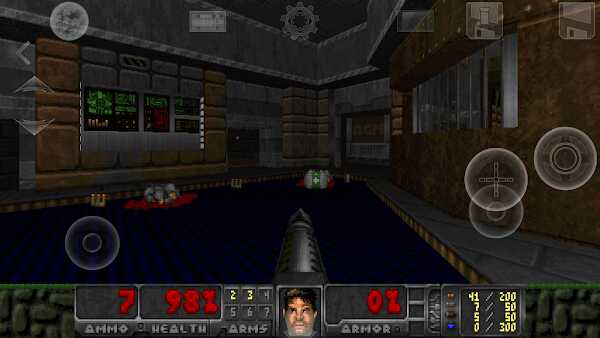
Delta Touch is a mobile gaming application designed for Android devices, built specifically for running classic first-person shooter titles based on the Doom engine. Instead of offering a traditional game download, it acts as a customizable launcher that allows users to play old-school PC shooters on their phones using their own game files. This setup may feel unusual at first, but it gives players a level of control rarely seen in mobile gaming.
The main purpose of the app is simple: bring retro FPS gameplay to a modern touchscreen environment without stripping away its original mechanics. It supports several well-known source ports, making it possible to run different versions of classic titles with varying levels of visual upgrades and performance tweaks. Players can switch between engines depending on what kind of gameplay style or compatibility they need.
One of the strongest features is its support for external content. Users can load WAD and PK4 files, which means access to a huge library of custom maps, fan-made campaigns, and gameplay mods. This turns the app into a flexible platform rather than a fixed game. For players who enjoy tinkering or revisiting older titles in new ways, this adds a lot of replay value.
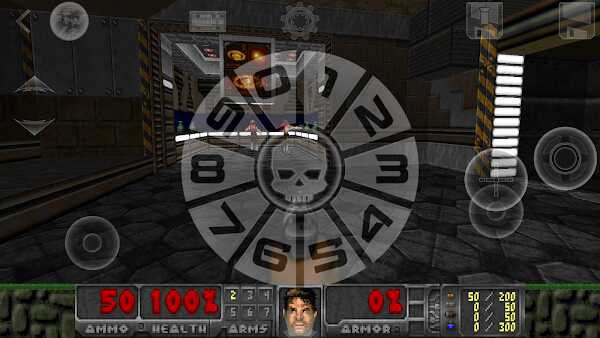
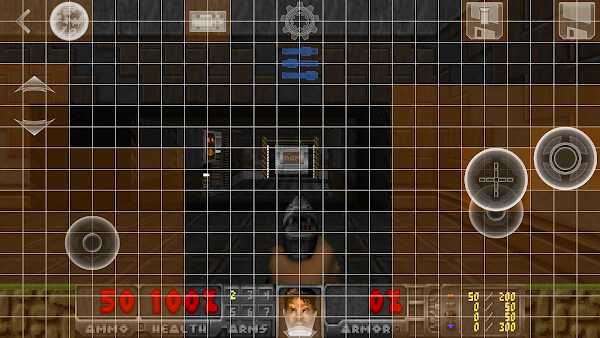
Control customization is another highlight. The built-in layout editor allows players to move buttons, resize them, and assign functions based on personal preference. Touchscreen controls in fast shooters can feel awkward, but this system helps reduce that issue. On top of that, the app supports controllers, keyboards, and even mouse input, giving players more ways to play comfortably.
Performance is handled quite well across different devices. Users can adjust resolution and graphics settings to match their phone’s capability. On lower-end devices, reducing visual settings helps maintain smooth gameplay. On stronger devices, higher settings can improve clarity without sacrificing stability. This flexibility makes the app usable for a wide range of Android users.
There are a few downsides to keep in mind. The app does not include any games, so users must find and manage their own files. This can be confusing for beginners. Some mods may also require specific engine settings, which means a bit of trial and error. It’s not a plug-and-play experience, but once set up properly, it runs reliably.
This app is best suited for fans of classic shooters, mod enthusiasts, or anyone curious about retro gaming on mobile. It works well during short play sessions or longer gaming runs, especially for players who prefer skill-based gameplay without modern mobile game interruptions.
FAQs Delta Touch
What is Delta Touch?
+
It is an Android app that lets you run classic Doom-based games and mods using your own game files.
Does Delta Touch include games by default?
+
No, you need to provide your own WAD or PK4 files to play anything.
Can I use a controller with Delta Touch?
+
Yes, it supports external controllers, keyboards, and even mouse input.
Is Delta Touch hard to set up?
+
It can take a bit of time for beginners, especially when organizing files and choosing the right engine.
What kind of games work best on Delta Touch?
+
Classic Doom titles and mods work best, especially those designed for supported engines like GZDoom or PrBoom+.
Discover More Interesting Games
-
 Mod
Mod
Solo Leveling Arise
v1.4.55
146.15 Mb
Updated -
Cookie Run OvenSmash
v1.9.02
1.32 Gb
Updated -
Mod
Warzone Commander
v1.0.80
243.69 Mb
Updated -
Rainbow Six Mobile
v2.3.003
3.15 Gb
Updated -
Mod
Last Frontline Survival
v1.1.0
379.22 Mb
Updated -
Mod
Zooba
v7.0.0
191.62 Mb
Updated -
Mod
Brawlhalla
v10.11
1.40 Gb
Updated -
Mod
Tower Destiny Survive
v1.17.0
248.56 Mb
Updated -
Mod
War Robots
v12.4.0
1014.27 Mb
Updated -
Mod
FRAG Pro Shooter
v5.5.0
207.69 Mb
Updated


Share Your Thoughts